What Is Nix on MacOS
Nix is a tool that creates immutable derivations of configurations written in a functional language. This means we don’t depend on our system’s environment at run or build time to create a package, instead we declare all of the dependencies and build in an isolated environment to avoid pollution (a pure environment in nix terms). Because we have declared all of our dependencies, it also means that we can re-build the same exact package again and again (and again!) without worrying about whether we remembered to install libssl-dev before starting to compile or if the new version of a library will break our software because the maintainer make a breaking change in a patch dependency. Plus we can try software out and quickly discard it without worrying about all the extra packages it required.
Isn’t this just homebrew?
Homebrew does compile software, but formulas depend on other formulas (which will be installed but not uninstalled) and brew will also use your existing system’s environment to build packages. This can lead to weird bugs and can wreak havoc on you if you’re trying to test two pieces of software which have the same dependency but on different versions (mysql 5 and 8 for example).
What can it do for me?
You can declare everything you want installed (yes even hombrew packages or apps from the Mac App Store). Have a consistent set of dotfiles you want installed? Use Home-Manager for that, but also for all your development tools! You can declare all of your vim plugins, your overly-complicated vscode config, even your search engines for Firefox.
Did you build your derivation and something doesn’t work? That’s fine you can --rollback to the last config (or an even earlier one)! You can commit all your nix config changes with git and now you can go back and re-build that state from last week when you remember things were better, the good ‘ol days.
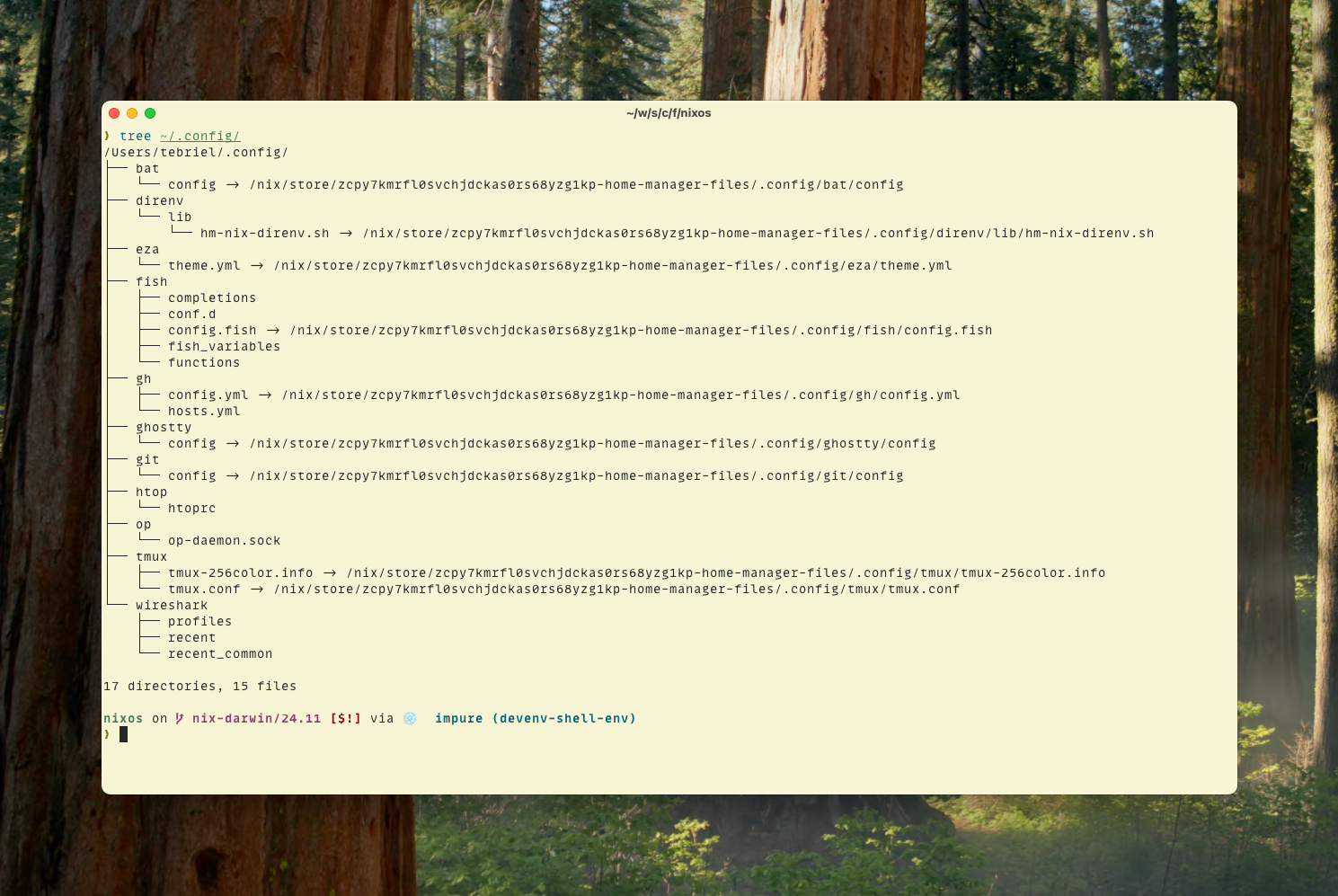
Symlinks to your config!
Try out software!

Declarative Homebrew Config!
 homebrew = {
    enable = true;
    caskArgs = {
      # true breaks Spotify install (and other things that self-update)
      require_sha = false;
    };
    brews = [
    ];
    casks =
      [
        "font-jetbrains-mono-nerd-font"
        {
          name = "ghostty";
          greedy = true;
        }
        "spotify"
      ]
      ++ lib.optionals (config.networking.hostName != "Chriss-MBP") [
        {
          name = "librewolf";
          args = {
            no_quarantine = true;
          };
        }
        "thunderbird"
      ];
    onActivation = {
      autoUpdate = true;
      cleanup = "zap";
      upgrade = true;
    };
    masApps =
      {
        "Tailscale" = 1475387142;
      }
      // lib.optionalAttrs (config.networking.hostName != "Chriss-MBP") {
        "Parcel - Delivery Tracking" = 639968404;
        "Home Assistant" = 1099568401;
        "Infuse • Video Player" = 1136220934;
        "Ivory for Mastodon by Tapbots" = 6444602274;
      }
      // lib.optionalAttrs (config.networking.hostName == "Chriss-MBP") {
        "Session Pomodoro Focus Timer" = 1521432881;
      };
  };
Do I have to do everything all at once?
Nope! Use nix for as little or as much as you’d like! Do one config file with home-manager, build a single package just to try it out. Try out Devenv.sh which will let you create mini development environments (much like asdf but with overmind, the functional build toolchain, git hooks, and more built in).